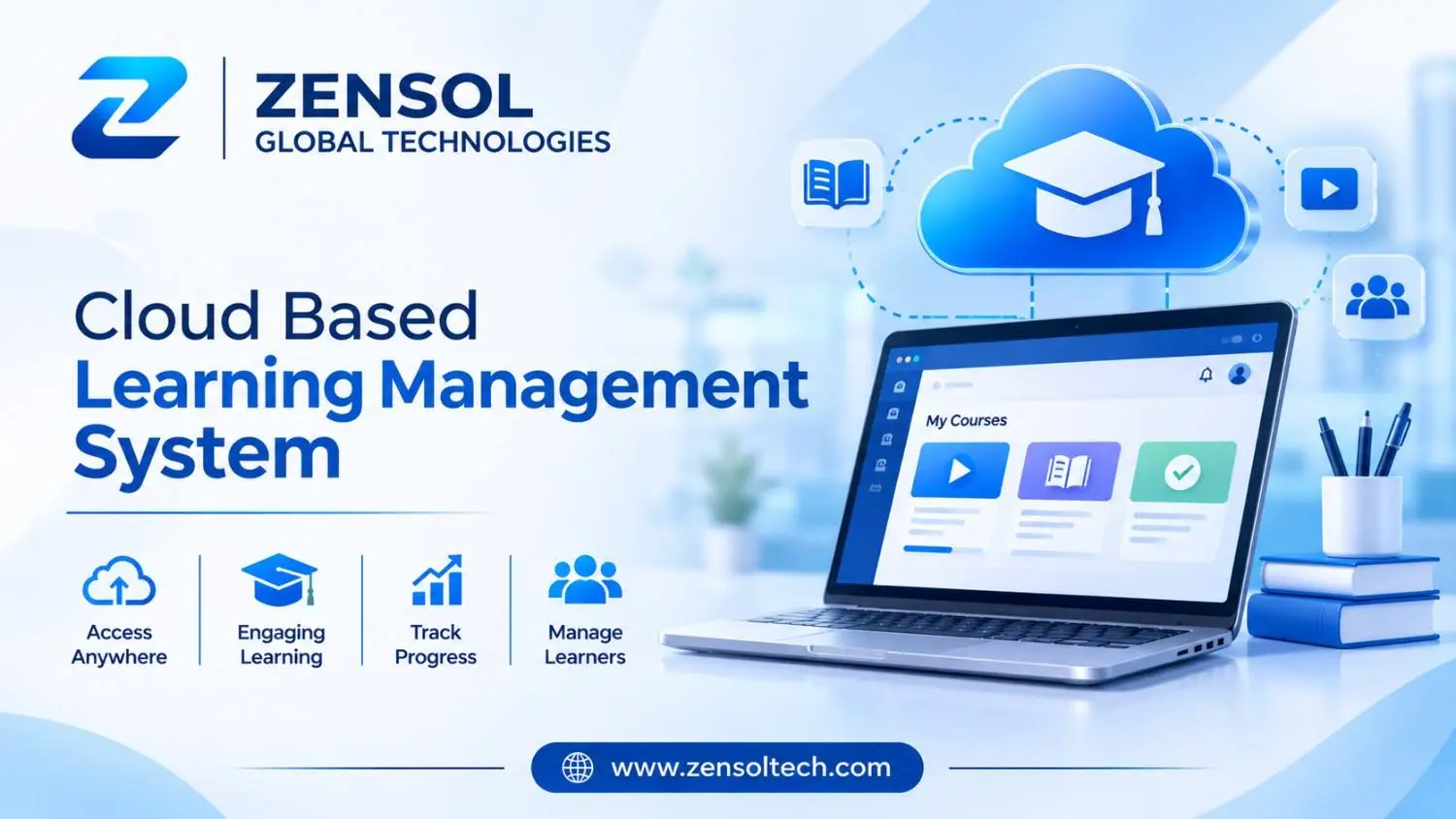
A Cloud Based Learning Management System helps schools, universities, and businesses deliver courses, manage learners, and track training online. Users access lessons through a browser or mobile app, while the platform runs on cloud infrastructure. This can reduce the need to operate local servers, but organizations remain responsible for access, data protection, and course quality.
Cloud LMS platforms support academic teaching, employee onboarding, compliance training, and professional development. Choosing one requires attention to integrations, accessibility, security, migration, and long-term costs.
What Is a Cloud Based Learning Management System?
A Cloud Based Learning Management System is software for creating courses, distributing learning materials, managing users, and recording learning activity through an application hosted in the cloud.
Many providers offer an LMS as Software as a Service (SaaS). The provider operates the application and hosting environment, while the customer manages courses, users, permissions, and learning policies. A custom LMS can also run on cloud infrastructure without following the same SaaS model. Hosting location alone does not determine software ownership or maintenance responsibility.
A college might manage modules, assignments, and grades; a business might assign onboarding and track required training.
How Does a Cloud-Based Learning Management System Work?
Users sign in through an account or single sign-on (SSO). The LMS applies permissions to decide which courses, records, and tools each person can access.
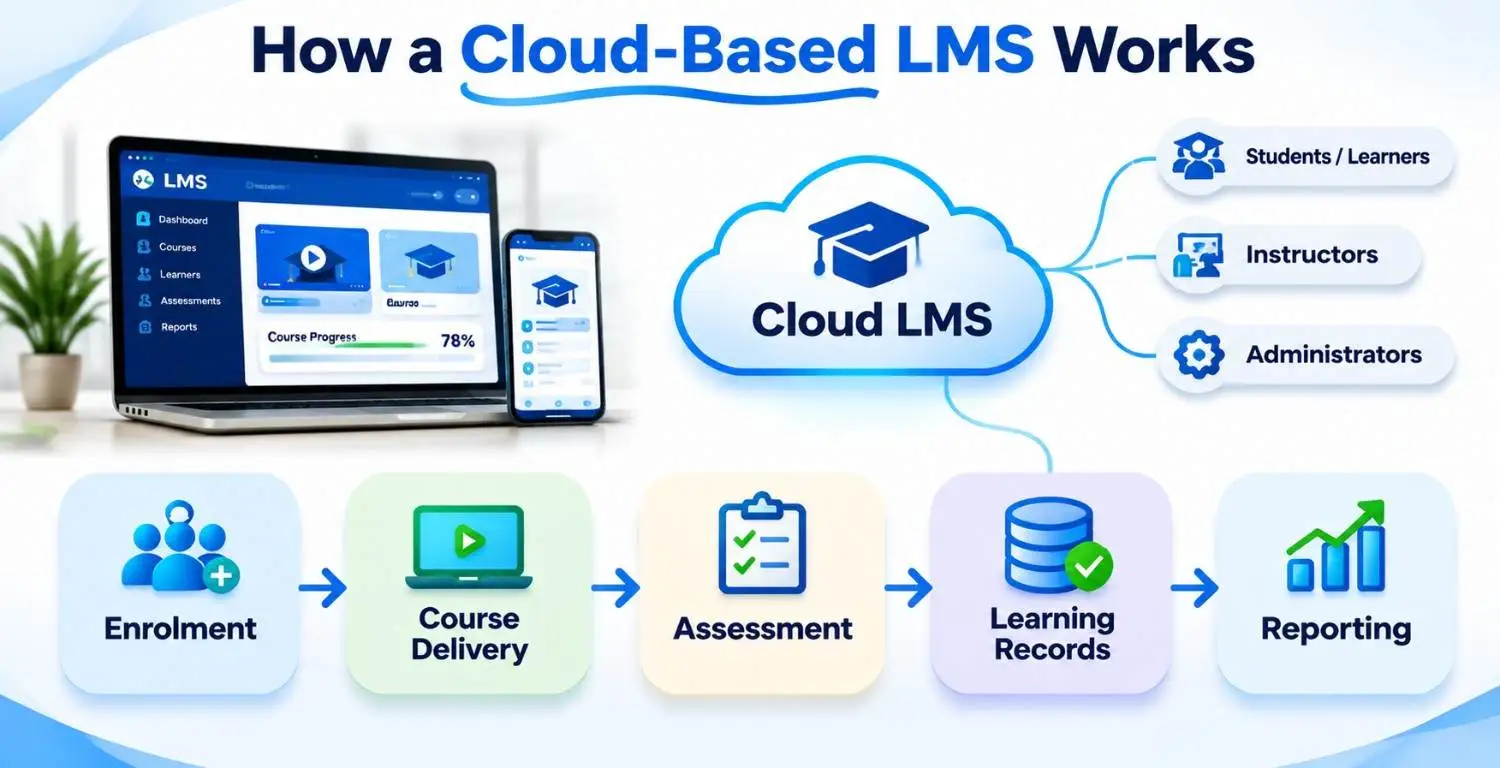
A typical process has five stages:
- Enrolment: An administrator or rule assigns a learner to a course.
- Delivery: The platform presents lessons, videos, documents, and activities.
- Assessment: Learners complete quizzes, assignments, or examinations.
- Record keeping: The LMS stores results, progress, and completion status.
- Reporting: Authorized staff review records and outstanding requirements.
Databases store user and course records; file storage and content delivery services handle learning materials.
Key Features of Cloud-Based LMS Software
Choose features according to learner needs and teaching methods, not the length of a provider’s feature list.
1. Course and Content Management
Instructors need tools to create courses, organize lessons, upload resources, set enrolment rules, and update materials. Course templates and publishing controls help keep larger programs consistent and prevent outdated content from remaining available.
2. Live and Self-Paced Learning
Self-paced courses let learners study around other commitments. Live sessions support instructor-led teaching. Check whether the platform records attendance and stores session recordings.
3. Progress Tracking and Reporting
An LMS can record completion, assessment results, and learner activity. Useful reports identify overdue training, low completion rates, and topics where learners may need support. Check whether reports can be filtered by course, department, or learner group.
4. Assessments and Certifications
Quizzes, assignments, and examinations check understanding. Some platforms support question banks, grading rules, certificates, and renewal reminders. Confirm that the system applies your completion and pass-score rules.
5. Mobile Access and Accessibility
Check responsive design, keyboard navigation, captions, screen-reader compatibility, and document accessibility. If learners have unreliable internet, ask whether lessons can be downloaded and progress synchronized after reconnection.
6. Roles, Permissions, and Integrations
Role-based permissions control what learners, instructors, managers, and administrators can view or change. Integrations connect the LMS with HR, student information, identity, payment, and communication systems.
Test a real data exchange before launch. For example, change a learner’s HR department and check whether the correct LMS course assignment updates. Agree how failed synchronizations are logged, retried, and reported.
7. Learning Content Standards
SCORM lets compatible course packages report completion and assessment results to an LMS. xAPI records learning experiences across systems and commonly sends activity statements to a Learning Record Store (LRS), where they can be stored and analyzed.
Test sample courses before choosing a platform. Check lesson launch, scoring, completion rules, and whether historical records remain available after migration.
Benefits of a Cloud-Based Learning Management System
A well-selected cloud LMS can improve how an organization coordinates training.
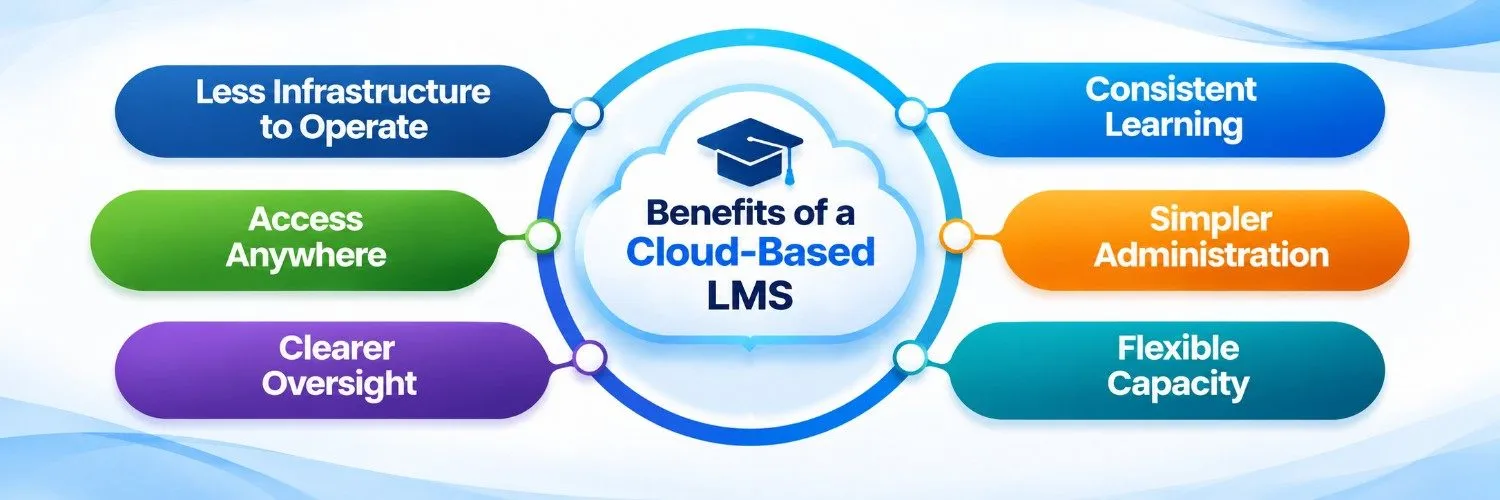
Less infrastructure to operate: The provider generally manages agreed hosting and maintenance, while the organisation manages accounts, permissions, and content.
Consistent learning: Staff or students can follow approved learning pathways across locations.
Simpler administration: Shared enrolment rules and central records can reduce manual follow-up and duplicate spreadsheets.
Flexible capacity: Some providers let customers increase user limits or storage as demand changes. Check how usage affects costs.
Clearer oversight: Managers can identify overdue courses and plan follow-up using completion records.
Cloud-Based LMS vs On-Premise LMS
Both models support online learning. Their main differences concern hosting, maintenance, access, and control.
| Comparison | Cloud-Based LMS | On-Premise LMS |
|---|---|---|
| Hosting | Usually provider-managed cloud infrastructure | Organisation’s servers or data centre |
| Cost model | Often subscription or usage-based | Infrastructure, licences, and IT costs |
| Maintenance | Provider handles agreed service tasks | Organisation or its IT partner |
| Remote access | Usually included in the hosted service | Can be enabled through network configuration |
| Scaling | Capacity may be adjusted through provider | Often requires infrastructure planning |
| Updates | Usually managed by provider | Organisation controls deployment |
| Control | Depends on product and contract | Greater local infrastructure control |
A cloud LMS may suit organizations seeking less infrastructure management. An on-premise system may suit those needing greater hosting control. Neither is automatically safer or cheaper. Compare total costs, security responsibilities, access requirements, and support.
Security and Data Protection Considerations
An LMS may contain student records, employee details, assessment results, and course activity. Understand how information is protected and which security tasks belong to the provider and your organization.
Review these areas:
- Encryption and access: Check protection for data in transit and at rest, multi-factor authentication, permissions, and access logs.
- Data location: Confirm where information is stored and processed, including subcontractor locations.
- Tenant separation: For a multi-tenant platform, ask how one customer’s data is isolated from another’s.
- Backups and recovery: Ask how often backups occur, how long restoration takes, and whether recovery exercises are tested.
- Incident response: Understand how the provider detects, investigates, and reports security incidents.
- Data ownership: Confirm that learner records, course materials, and activity history can be exported in usable formats.
- Service commitments: Review uptime targets, maintenance, support response times, and remedies when service levels are missed.
FERPA may apply to US educational agencies and institutions that receive applicable US Department of Education funding and maintain covered student education records. Schools using service providers should assess their obligations and permitted use of records. Other organisations may face different privacy laws. A provider’s security measures do not, by themselves, make a customer compliant.
How to Choose the Right Cloud-Based Learning Management System
Start with the learning problem, not the product demonstration. Define who will use the LMS, what they need to learn, and how completion will be measured.
- Requirements and users: List learner groups, administrator roles, expected usage, and likely growth.
- Course compatibility: Test existing content, assessment rules, certificates, accessibility, and reporting.
- Integrations: Confirm systems exchange the right data and that errors can be detected and resolved.
- Usability: Ask learners and instructors to complete common tasks during a pilot, including on mobile devices.
- Security and support: Review permissions, data handling, recovery, service commitments, and support.
- Total cost: Compare subscriptions, implementation, migration, integrations, training, storage, and support.
Before signing, pilot the LMS with representative users. Import a sample course, test an integration, complete an assessment, export a learner record, and check the results. A small pilot can reveal problems a sales demonstration may not show.
Custom Cloud-Based LMS Development: When Does It Make Sense?
A ready-made LMS may meet standard needs. Custom development is worth considering when available products cannot support essential workflows, integrations, or user requirements. It is not automatically cheaper: custom platforms also need hosting, security updates, monitoring, maintenance, and support.
Custom development may suit organizations that need specialized enrolment, complex system connections, industry-specific learning records, tailored reporting, or interfaces for particular learner groups.
Main Steps in Custom LMS Development
- Requirements: Define user roles, learning goals, workflows, integrations, and security needs.
- Architecture: Choose multi-tenant or single-tenant deployment. Multi-tenant systems share application resources while separating customer data; single-tenant systems provide a separate environment but may need more infrastructure.
- Design: Create clear, accessible interfaces for learners, instructors, and administrators.
- Development: Build course management, assessments, reporting, and APIs. Define how integrations handle failed requests and duplicate updates.
- Testing: Check functionality, permissions, accessibility, security, and performance under expected peak demand.
- Deployment and support: Launch the system, monitor errors and response times, and plan updates.
Plan migration early. Inventory courses and records, identify incompatible content, map data fields, and test a sample transfer. Verify scores, completion status, certificates, and user identities. Use load testing to identify bottlenecks, and agree uptime and recovery targets with the hosting provider.
For organizations considering a tailored platform, Zensol Technologies’ education software development services are relevant to exploring LMS development, e-learning platforms, virtual classrooms, and education applications.
Final Thoughts
A Cloud Based Learning Management System helps organizations deliver structured learning, coordinate training, and manage learner records through one platform. The choice depends on course requirements, integrations, accessibility, security, and control.
A ready-made LMS may suit standard programs, while custom development may support specialist workflows. Compare costs, test migration and integrations, and check service commitments. The platform should solve current needs without adding avoidable complexity.