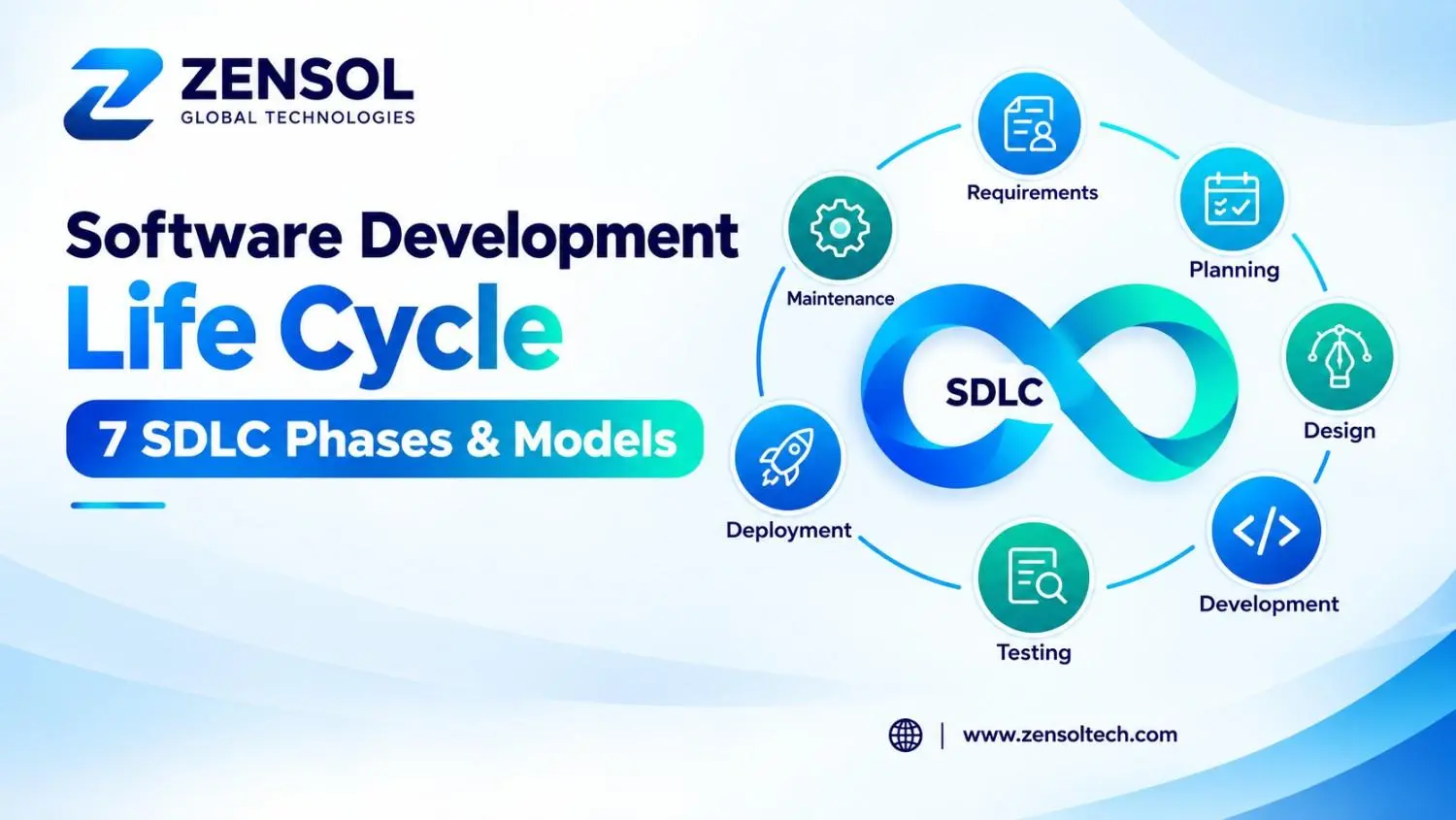
The Software Development Life Cycle (SDLC) is a structured approach for turning a software idea into a working, tested, deployed, and maintainable product. It covers everything from initial planning and requirements gathering to system design, coding, testing, deployment, and ongoing operations. The goal is not to force every project into the same process. A good SDLC gives teams enough structure to control risk while remaining flexible enough to respond to changing business and technical requirements.
The seven commonly used SDLC phases are Planning, Requirements Analysis, System Design, Development, Testing, Deployment, and Maintenance and Operations. Different organizations may combine or divide these stages, but the underlying purpose remains the same: make better software decisions at the right time.
What Is the Software Development Life Cycle?
The Software Development Life Cycle is a framework for managing the complete software development process, from defining a business problem to operating and improving the finished application.
At its simplest, the SDLC answers seven questions:
- What are we trying to build and why?
- What does the software need to do?
- How should it be designed?
- How will it be developed?
- How will we verify its quality?
- How will it be released safely?
- How will we maintain and improve it after launch?
The SDLC is not necessarily a straight line. A traditional Waterfall project may move through defined stages sequentially, while an Agile team may repeat requirements, design, development, and testing several times during short iterations.
A useful distinction is that SDLC phases describe the work involved in creating and operating software, while SDLC models describe how that work is organized.
Why Is the Software Development Life Cycle Important?
A well-designed Software Development Life Cycle helps teams identify problems before they become expensive to fix.
Consider a seemingly simple requirement: an application must integrate with an external payment provider. That requirement can affect API design, database transactions, security, error handling, testing, infrastructure, monitoring, and deployment. If the integration constraint is discovered after development is almost complete, changing the system can require significant rework.
This is why SDLC is fundamentally about risk management and decision-making, not paperwork.
A strong software lifecycle can help teams:
- Clarify business requirements before development begins.
- Identify technical constraints and dependencies early.
- Make architecture decisions based on actual requirements.
- Build testing and security into development.
- Establish controlled deployment processes.
- Manage changes without losing sight of scope and priorities.
- Use production feedback to improve future releases.
SDLC does not guarantee a successful project. Poor requirements, unrealistic expectations, weak communication, or unsuitable architecture can still cause problems. The value comes from applying the lifecycle intelligently.
What Are the 7 SDLC Phases?
The seven commonly used SDLC phases are:
- Planning
- Requirements Analysis
- System Design
- Development
- Testing
- Deployment
- Maintenance and Operations
These phases are interconnected. Requirements influence architecture, architecture influences implementation, implementation affects testing, and production behavior creates information for the next planning cycle.
1. Planning
Planning establishes the business purpose, scope, feasibility, resources, constraints, and major risks of the project.
Teams determine:
- What problem the software should solve
- Who will use it
- Which features are essential for the first release
- Available budget and resources
- Technical constraints
- Major dependencies
- Security or compliance requirements
- Expected delivery milestones
One important practice is separating must-have outcomes from desirable features. Trying to build everything at once can increase cost and delay validation of the product's core value.
Typical outputs: project scope, roadmap, feasibility assessment, resource plan, priorities, and risk register.
2. Requirements Analysis
Requirements analysis turns business expectations into software requirements that developers and testers can understand.
This can include stakeholder interviews, workflow analysis, user stories, acceptance criteria, integration requirements, and functional and non-functional requirements.
Functional requirements describe what the system does. Non-functional requirements address qualities such as performance, scalability, availability, security, accessibility, and reliability.
For example, "users can upload documents" is incomplete if the system is expected to support thousands of users uploading large files. File size, storage, processing time, access control, and failure handling may all become technical requirements.
Typical outputs: requirements specifications, user stories, acceptance criteria, process flows, and prioritized backlogs.
Ambiguous requirements are especially dangerous because they propagate into design, development, testing, and acceptance. Clarifying them early is usually much cheaper than correcting the resulting implementation later.
3. System Design
System design translates requirements into a technical blueprint.
Depending on the application, architects and developers may define:
- Application architecture
- Database structure
- APIs
- User interfaces
- Authentication and authorization
- Third-party integrations
- Data flows
- Infrastructure
- Security controls
- Scalability and performance strategies
Architecture should reflect actual constraints rather than technology trends. A small business application may be better served by a modular monolith than a complex microservices architecture that the team does not need to operate.
Design should also consider failure scenarios. What happens when an external API is unavailable? What happens when a database transaction fails? How are sensitive records protected?
Typical outputs: architecture diagrams, database models, API specifications, interface designs, and technical documentation.
4. Development
Development turns the design into working software through coding and implementation.
Developers build application features, APIs, databases, integrations, interfaces, and supporting components. Modern teams may use version control, code reviews, automated tests, static analysis, dependency scanning, and continuous integration during this stage.
Good development practices include:
- Version control
- Peer code reviews
- Modular implementation
- Secure coding
- Automated testing
- Dependency management
- Continuous integration
- Consistent coding standards
Development should not be completely isolated from earlier phases. New technical discoveries can reveal that a requirement or architecture decision needs to change.
Typical outputs: source code, application builds, automated tests, configuration, and technical documentation.
5. Testing
Testing verifies that software works as intended and satisfies its requirements.
Depending on the project, testing may include:
- Unit testing
- Integration testing
- System testing
- Regression testing
- API testing
- Performance testing
- Security testing
- User acceptance testing
Testing should begin earlier than the final development stage. Requirements can be reviewed for testability, automated tests can be written alongside features, and risky integrations can be validated before the complete application is finished.
For example, testing a payment workflow only after an entire checkout system is complete can make defects harder to isolate. Earlier integration testing can reveal transaction, API, authentication, or error-handling problems while they are still relatively easy to change.
Typical outputs: test cases, automated test suites, defect reports, test results, and release-readiness assessments.
6. Deployment
Deployment moves validated software into an environment where users can access it.
It can involve:
- Infrastructure provisioning
- Configuration
- Database migrations
- Release packaging
- Environment validation
- Monitoring
- Production verification
- Rollback planning
CI/CD can automate many repeatable deployment activities.
Deployment strategy should reflect risk. A high-impact change might use staged deployment, feature flags, canary releases, or blue-green deployment rather than immediately exposing every user to the change.
The important question is not simply "Can we deploy?" It is also "Can we detect a problem, limit its impact, and recover safely?"
7. Maintenance and Operations
The software development lifecycle continues after launch.
Maintenance and operations include bug fixes, security updates, dependency upgrades, performance optimization, infrastructure maintenance, monitoring, incident response, and new functionality.
Production data can reveal problems that were impossible to predict during development. Repeated support issues may expose usability problems. Performance monitoring may reveal scaling limitations. Security monitoring may uncover a new vulnerability.
That information should feed future planning. Maintenance is therefore not merely keeping old software running; it is part of the product's continuous improvement process.
SDLC Example: Building a Customer Management Platform
Consider a company building a customer management platform for its sales team.
Planning: The business identifies the need to centralize customer records, sales activities, and reporting. The initial release is limited to core customer management rather than every possible sales feature.
Requirements: The team defines user roles, customer profiles, search, activity tracking, authentication, reporting, and integration requirements.
Design: Developers and architects define the database structure, APIs, authentication model, interface, and integration architecture.
Development: The team builds the frontend, backend, database functionality, APIs, and automated tests.
Testing: Testers validate user permissions, customer workflows, API behavior, data integrity, performance, and security.
Deployment: The application is released to production with monitoring, database migration procedures, and rollback plans.
Maintenance: The team monitors usage, fixes defects, updates dependencies, improves performance, and prioritizes new features based on user feedback.
This example shows why the phases should not be treated as isolated tasks. A change in requirements can affect design, implementation, testing, deployment, and future maintenance.
Common SDLC Models
Different SDLC models organize lifecycle activities differently. There is no universally superior model.
| Model | Best Suited For | Main Strength | Main Limitation |
|---|---|---|---|
| Waterfall | Stable requirements and formal processes | Predictable sequence and documentation | Changes can be costly later |
| Agile | Evolving requirements and frequent feedback | Flexible, incremental delivery | Requires strong collaboration and prioritization |
| Iterative | Products refined through repeated cycles | Learning and improvement between iterations | Can create technical debt without discipline |
| Spiral | High-risk or technically uncertain projects | Strong focus on risk analysis | More complex and resource-intensive |
| V-Model | Projects needing formal verification and traceability | Clear relationship between development and testing | Less adaptable to changing requirements |
Waterfall
The Waterfall model follows a relatively sequential process. It can work well when requirements are stable and formal approvals or documentation are important.
Its weakness appears when significant requirements change after design or development has progressed.
Agile
Agile focuses on iterative delivery, collaboration, feedback, and adapting to change.
Agile does not mean eliminating planning or documentation. Instead, planning occurs continuously at different levels, with detailed decisions often made closer to implementation.
Iterative
The Iterative model develops and improves the product through repeated cycles. It is useful when the overall objective is understood but details are expected to evolve.
Spiral
Spiral combines iterative development with explicit risk analysis. It can be appropriate when technical uncertainty or the consequences of architectural mistakes are significant.
V-Model
The V-Model emphasizes verification and validation, making it useful where traceability and formal testing are particularly important.
SDLC vs Agile vs DevOps vs DevSecOps
These concepts are related but not interchangeable.
SDLC describes the broader software lifecycle.
Agile provides principles and practices for iterative, collaborative development.
DevOps connects development and operations through automation, CI/CD, infrastructure practices, monitoring, and shared responsibility.
DevSecOps integrates security into those development and operations practices.
In a modern software lifecycle, this can mean security requirements during planning, threat analysis during design, secure coding during development, automated security checks during testing, controlled releases during deployment, and vulnerability monitoring during operations.
DevOps and DevSecOps therefore complement the Software Development Life Cycle rather than simply replacing traditional SDLC models.
SDLC Best Practices
The strongest software development best practices are practical rather than bureaucratic.
Validate assumptions early
Identify uncertain requirements, risky integrations, and difficult technical constraints before large amounts of implementation depend on them.
Make requirements testable
A good requirement should provide enough clarity for both developers to implement and testers to verify.
Avoid unnecessary architecture
Use architecture that solves the project's actual problems. Complexity should have a reason.
Test continuously
Testing should occur throughout the lifecycle rather than becoming a final inspection before release.
Integrate security
Secure software development should address authentication, authorization, data protection, dependencies, vulnerabilities, and operational security throughout the lifecycle.
Automate repeatable processes
CI/CD, automated testing, infrastructure as code, and quality checks can improve consistency and reduce manual errors.
Learn from production
Monitoring, incidents, support requests, and user behavior should influence future development priorities.
How to Choose the Right SDLC Approach
Choosing an SDLC approach starts with the project's characteristics, not with whichever methodology is currently popular.
A more sequential approach may suit a project with stable requirements, formal approvals, and strong documentation requirements.
Agile or iterative development may be better when requirements are uncertain, customer feedback is important, and functionality can be delivered incrementally.
Risk-focused approaches can be appropriate when technical uncertainty is high, while V-Model practices may be valuable when verification and traceability are major concerns.
Before selecting an approach, ask:
- How likely are requirements to change?
- How expensive would an architectural mistake be?
- How frequently does the product need to be released?
- How much user feedback is required?
- Are regulatory requirements involved?
- How mature are the team's testing and deployment capabilities?
- What security and operational risks need to be controlled?
For businesses planning custom software development, the right approach is often a practical combination of lifecycle discipline, Agile practices, automated delivery, and security controls rather than strict adherence to one methodology.
Final Takeaway
The Software Development Life Cycle is not valuable because it gives every software project seven boxes to check. Its real value comes from helping teams make important decisions before those decisions become expensive to change.
Requirements influence architecture. Architecture influences development. Development shapes testing. Testing determines release confidence. Deployment introduces the product to real operating conditions. Maintenance then generates information that should influence the next planning cycle.
The right SDLC approach depends on the project. Waterfall can provide structure where requirements are stable. Agile can support products that need frequent feedback and adaptation. Iterative approaches allow teams to learn through repeated delivery, while Spiral and V-Model practices can be useful for specific risk and verification requirements. DevOps and DevSecOps can strengthen any of these approaches through automation, operational discipline, and integrated security.
For businesses building or modernizing software, the objective should be simple: use enough process to control risk, but not so much process that it prevents useful change. A well-designed lifecycle creates that balance.
If you are planning a new application or improving an existing product, talk with the Zensol Technologies team about translating your business requirements into a practical development roadmap, technical architecture, and delivery approach aligned with your long-term goals.