You may have received a pickup message near a store, seen a delivery app recognize a driver’s arrival, or used a smart-home app that reacted when you left the neighborhood. These experiences often rely on geofencing.
So, what is a geofence technology in simple terms? It uses a virtual boundary around a real-world location to trigger an action when an authorized device enters, exits, or remains within that area.
The goal is not constant tracking. A well-designed geofence connects location with a useful digital response, such as coordinating field teams, supporting restricted sites, or personalizing app experiences without requiring manual check-ins.
What Is a Geofence?
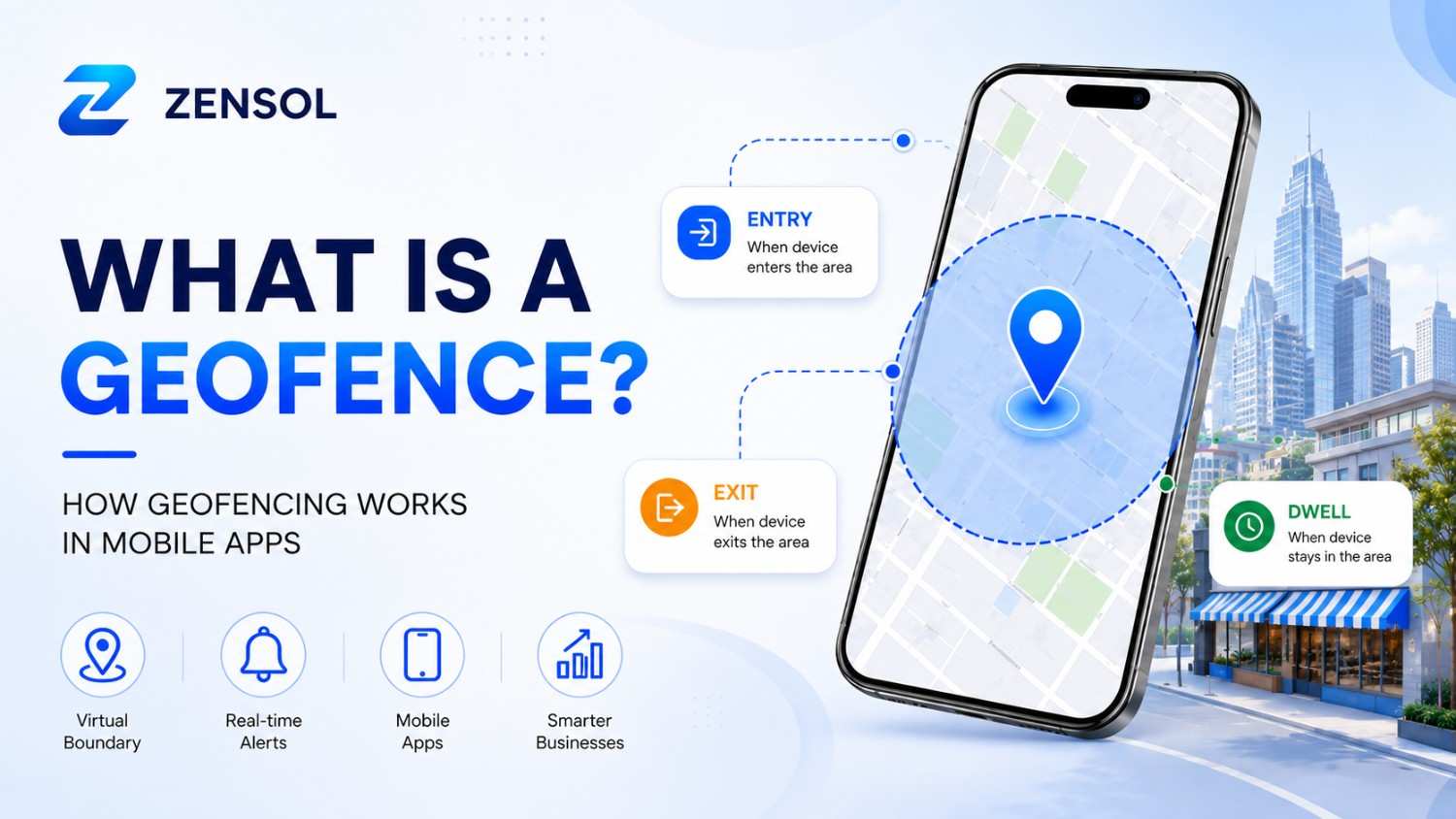
A geofence is a software-defined virtual boundary around a real-world area. A mobile app or connected system can trigger an action when an authorized device enters, exits, or remains within that boundary for a set time. It links physical movement to a digital rule the app understands.
The boundary is digital. A business may place it around a store, warehouse, school, worksite, or delivery zone. A curbside app can notify staff when a customer enters the parking area.
What Is Geofencing?
A geofence is the defined virtual area. Geofencing is the process of monitoring that area and responding to location events.
The fence defines where a rule applies; geofencing defines the app’s response. Apple supports geographic entry and exit monitoring, while Android also supports dwell transitions.
Real-World Examples of Geofencing in Popular Applications
Geofencing is used by many popular applications to connect real-world locations with useful digital experiences. Instead of constantly tracking users, applications use geofencing to respond to specific events, such as entering a location, leaving an area, or remaining within a defined boundary.
Ride-Sharing Applications
Ride-sharing platforms use geofencing to improve pickup and drop-off experiences. When drivers enter specific pickup zones, applications can provide better arrival updates, improve location accuracy, and create smoother experiences for passengers.
For example, a ride-sharing app can create a virtual pickup area around an airport terminal. When a driver enters that zone, the system can update availability and help coordinate passenger pickups.
Food Delivery Applications
Food delivery platforms can use geofencing to automate location-based workflows.
For example, when a delivery driver reaches a restaurant, the system can notify staff to prepare an order. When the driver approaches the customer’s location, the app can send delivery status updates.
Retail Applications
Retail businesses use geofencing to create personalized customer experiences.
Examples include:
- Nearby store notifications
- Curbside pickup alerts
- Loyalty rewards
- Location-based promotions
Healthcare Applications
Healthcare apps can use geofencing for appointment reminders, patient assistance, and location-based workflows. These solutions should always be designed with appropriate privacy controls.
How Does Geofencing Work in Mobile Apps?
To fully understand what is a geofence in a mobile app, it helps to look at how the boundary, device location, permissions, and app logic work together.
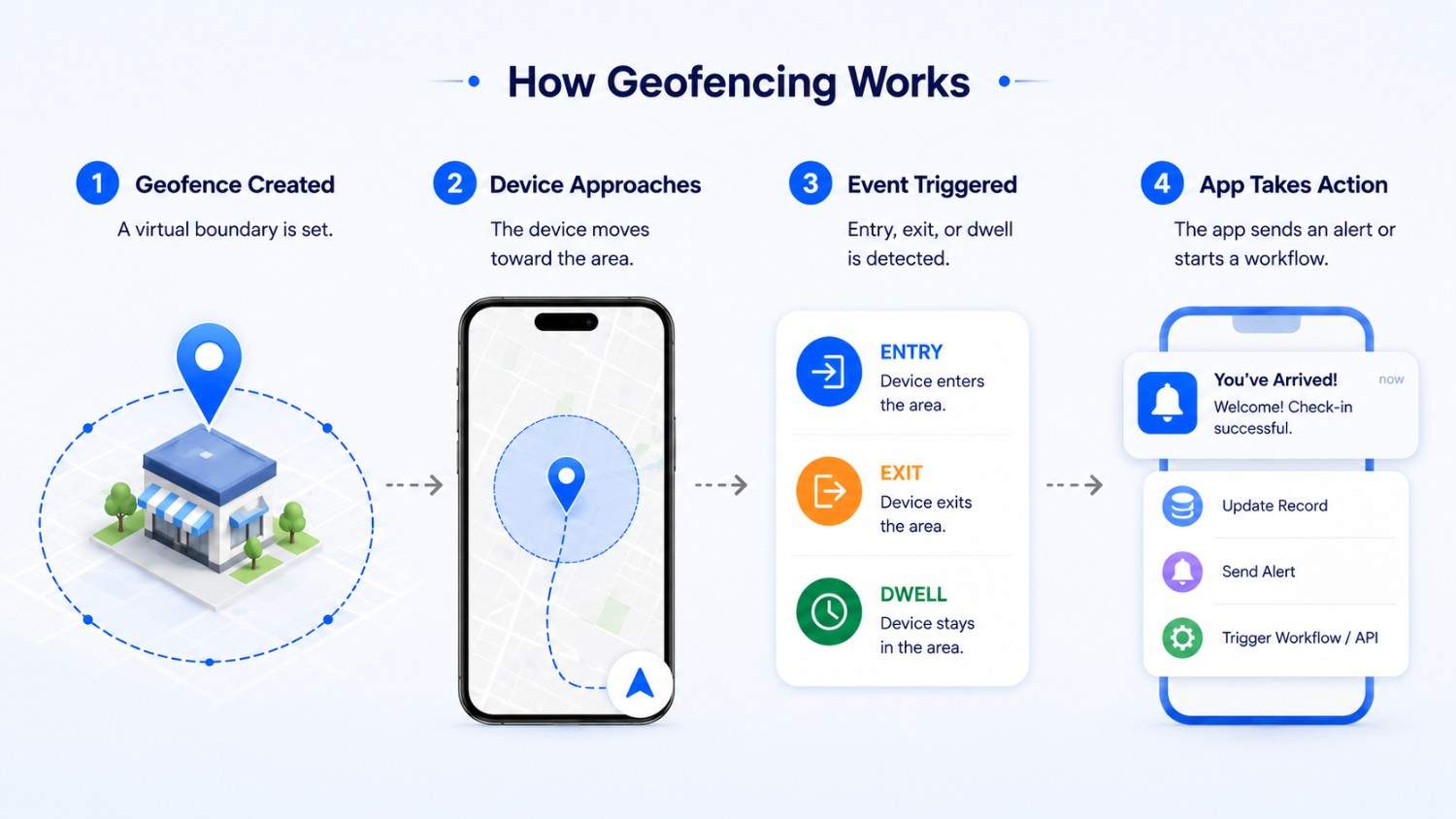
- The app defines a boundary. A developer sets the location, radius, and trigger rules.
- The user grants permission. The app explains why access is needed.
- The device estimates its position. It uses available location signals.
- The platform monitors the area. Android, iOS, or another service compares the device with the geofence.
- A transition occurs. The device enters, exits, or meets a dwell rule.
- The app performs an action. It may send a notification, update an order, record an arrival, start a workflow, or call an API.
Background geofencing may require extra authorization. Android limits such access to essential uses, while iOS authorization affects event availability.
Which Technologies Support Mobile Geofencing?
Phones do not rely on GPS alone. Android can combine providers, while Apple’s Core Location can use GPS, Wi-Fi, cellular, Bluetooth, and other components based on accuracy and power needs.
Beacons can support indoor proximity, while cloud platforms may manage many geofences and connect events with business systems.
Entry, Exit, and Dwell Events
- Entry: The device crosses into the boundary. A retail app may display pickup instructions.
- Exit: The device leaves the area. A field-service app may update a job status.
- Dwell: The device stays inside for a defined period. An event app may show venue information after confirming that the attendee is not simply passing by.
Geofencing vs. Geotargeting and Beacons
| Technology | What It Does | Typical Range or Context | Common Uses |
|---|---|---|---|
| Geofencing | Monitors entry, exit, or dwell events around a defined boundary | Stores, worksites, delivery zones, neighborhoods | Arrival detection, alerts, workflow automation |
| Geotargeting | Selects content or advertising based on broader location data | Cities, regions, ZIP codes, audience segments | Localized ads and regional content |
| Bluetooth beacons | Detects proximity to a nearby Bluetooth transmitter | Indoor or close-proximity settings | In-store guidance and room-level experiences |
These technologies can work together but are not interchangeable. An airport app might use geofencing for arrival, geotargeting for regional content, and beacons near a gate.
Geofencing vs GPS Tracking: What Is the Difference?
Although geofencing and GPS tracking both use location technology, they serve different purposes.
Geofencing focuses on creating a virtual boundary and triggering actions when a device enters, exits, or remains within that area. GPS tracking focuses on continuously monitoring and recording movement over time.
| Feature | Geofencing | GPS Tracking |
|---|---|---|
| Main purpose | Trigger location-based actions | Monitor movement continuously |
| Tracking method | Event-based location monitoring | Continuous location tracking |
| Battery usage | Usually lower because it does not require constant tracking | Can consume more battery due to frequent updates |
| Common uses | Alerts, automation, delivery updates, reminders | Fleet tracking, vehicle monitoring, asset tracking |
Geofencing does not replace GPS tracking. Instead, it works as a location-triggering system that allows applications to respond intelligently when users or assets reach specific areas.
For example, a delivery company may use GPS tracking to monitor a vehicle route while using geofencing to automatically detect when the driver arrives at a customer’s location
Geofencing Use Cases by Industry
Geofencing provides value across different industries by automating location-based tasks and improving operational efficiency.
- Fleet and Field Service Management: Companies can use geofencing to track job-site arrivals, automate work status updates, and improve dispatch operations.
- Workplace and Site Operations: Organizations may use geofencing for attendance support, restricted-area alerts, and workplace safety workflows.
- Travel, Hospitality, and Events: Hotels, airports, museums, and event venues can provide location-based guidance, check-in assistance, and timely customer notifications.
- Smart Home and Security Applications: Smart home applications can use geofencing to trigger arrival-based workflows, such as adjusting settings when users reach home.
What Are the Benefits of Geofencing?
- More relevant experiences: The app can respond to the user’s location.
- Automated workflows: A location event can replace a manual status update.
- Faster arrival updates: Teams can prepare for customers, drivers, or technicians.
- Improved coordination: Geofence events can connect with order, dispatch, or customer systems.
- Better location-based engagement: Messages can appear at a useful moment.
- Fewer manual check-ins: Users and staff can spend less time recording routine arrivals.
- Useful event data: Entry, exit, and dwell records can reveal operational patterns when collected responsibly.
These benefits are not guaranteed. Results depend on implementation, permissions, adoption, and relevance.
What Are the Limitations of Mobile Geofencing?
Location Accuracy
Accuracy varies by device, operating system, signals, environment, movement, and fence size. GPS may weaken indoors, while Wi-Fi and cellular estimates may be broader.
Background App Restrictions
Android and iOS control background location behavior to protect privacy, battery life, and system performance. Apps must follow current platform rules, and event timing may not be immediate.
Battery Consumption
Platform geofencing APIs are usually more efficient than continuous high-accuracy tracking, but unnecessary updates or constant GPS use can increase battery consumption.
User Permissions
The feature may fail when users deny access, choose approximate location, disable services, or restrict background permission. Ask when the benefit is clear.
False Entry or Exit Events
Small or poorly placed boundaries may create late or incorrect transitions. Larger fences and dwell rules can help, but real-world testing remains necessary.
Geofencing Privacy and Responsible Data Use
Location data can reveal where people live, work, and travel. Responsible geofencing starts with a specific benefit and collects only what is needed.
The app should explain why it requests location, whether monitoring continues in the background, what is stored, and how users can change their choice. Data should be secured, retained only as needed, and described accurately in the privacy policy.
Operational uses differ from advertising tracking. Privacy, consent, employment, and data-protection requirements vary by jurisdiction, so businesses should obtain appropriate legal advice.
Does Your Mobile App Need Geofencing?
Understanding what is a geofence is only the first step. The more important question is whether location-based events solve a genuine problem for the app’s users or the business.
Ask these questions before adding the feature:
- Does the app need to react when a user or asset enters or leaves a location?
- Will the feature provide a clear user or operational benefit?
- Is approximate location accuracy sufficient?
- Can it work responsibly within platform permission rules?
- Can the team test different devices and real-world environments?
- Is there a clear privacy and data-retention policy?
- Could a manual check-in or simpler feature solve the same problem?
Geofencing is useful when location events directly support the product. It should not be added only because it sounds advanced.
How Much Does Geofencing App Development Cost?
The cost of developing a geofencing feature depends on several factors, including app complexity, supported platforms, location accuracy requirements, backend infrastructure, security needs, and the type of business workflow the application needs to support.
A simple geofencing feature that triggers a notification when a user enters a location requires less development effort than a complete location-based platform with real-time workflows, analytics, automation, and enterprise integrations.
Average Geofencing App Development Cost
| Type of Geofencing Solution | Estimated Cost Range | Examples |
|---|---|---|
| Basic geofence feature | $5,000 – $15,000 | Entry/exit alerts, location reminders, simple notifications |
| Business mobile app with geofencing | $15,000 – $40,000 | Retail apps, delivery apps, customer engagement features |
| Advanced geofencing platform | $40,000 – $100,000+ | Fleet management, logistics systems, enterprise automation |
These figures are general estimates. The actual cost depends on project requirements, development approach, team expertise, technology selection, and the number of features involved.
Factors That Influence Geofencing Development Cost
1. Number of Geofence Locations
The number of locations managed by the application directly affects complexity. A system supporting five business locations requires less infrastructure than a platform managing thousands of stores, delivery zones, or operational areas.
2. Android and iOS Development
Building geofencing functionality for both platforms requires additional development and testing because Android and iOS handle background location permissions differently.
3. Background Location Processing
Applications that need to detect location changes while running in the background require careful implementation to balance:
- Accuracy
- Battery consumption
- Platform restrictions
- User permissions
4. Backend Integration
Advanced geofencing solutions often connect with:
- Customer management systems
- Delivery platforms
- Fleet management software
- Notification systems
- Analytics dashboards
These integrations increase development complexity but provide greater business value.
5. Security and Privacy Requirements
Because location data is sensitive, businesses must consider:
- Permission management
- Secure data storage
- User privacy controls
- Data retention policies
Is Geofencing Worth the Investment?
Geofencing is valuable when it solves a clear business problem.
For example:
- A delivery company can automate arrival updates.
- A retailer can improve customer engagement.
- A field-service company can automate employee check-ins.
- A logistics company can improve operational visibility.
The best geofencing applications are not built around tracking users. They are designed around providing useful, timely, and permission-based experiences.
What Is Involved in Geofencing App Development?
Geofencing app development begins with the business event, not the map. The team defines what should happen, who benefits, and what accuracy is acceptable. Developers then choose fence sizes, APIs, permission flows, transition logic, notifications, and backend integrations.
Testing should cover real travel, indoor and outdoor settings, boundary edges, denied permissions, background behavior, battery use, and multiple devices. Maintenance is needed as platform rules change.
Zensol Technologies helps businesses plan and build location-aware applications through its mobile app development services, including geofencing workflows, notifications, backend integrations, and real-world testing. See relevant examples in the software development portfolio.
Final Thoughts
What is a geofence in practical terms? It is a virtual boundary that lets an app respond when an authorized device enters, exits, or remains within a real place. Mobile geofencing can support deliveries, field operations, retail, travel, and smart-home workflows. Its value depends on more than drawing a circle on a map.
Teams must define a useful trigger, request appropriate permissions, test accuracy and background behavior, manage battery use, and protect location data. Businesses considering a location-aware app should evaluate the user benefit first, then design around realistic platform and privacy constraints. Good implementation makes that connection useful rather than intrusive.